Everything your club runs, in one place
Breed Club Services keeps your club's show results and sweepstakes standings up to date, and gives your admins the tools to run the club behind them: the membership list, renewals, sanctions, show reports, announcements, member surveys and elections, a breeder directory, the club's exhibitors, mailings and the newsletter's standings.
Every picture on this page is the Demo Rabbit Club, a made-up club. The shows and placings are real, but every person in it is invented. Click any picture to see it full size.
Your club's site
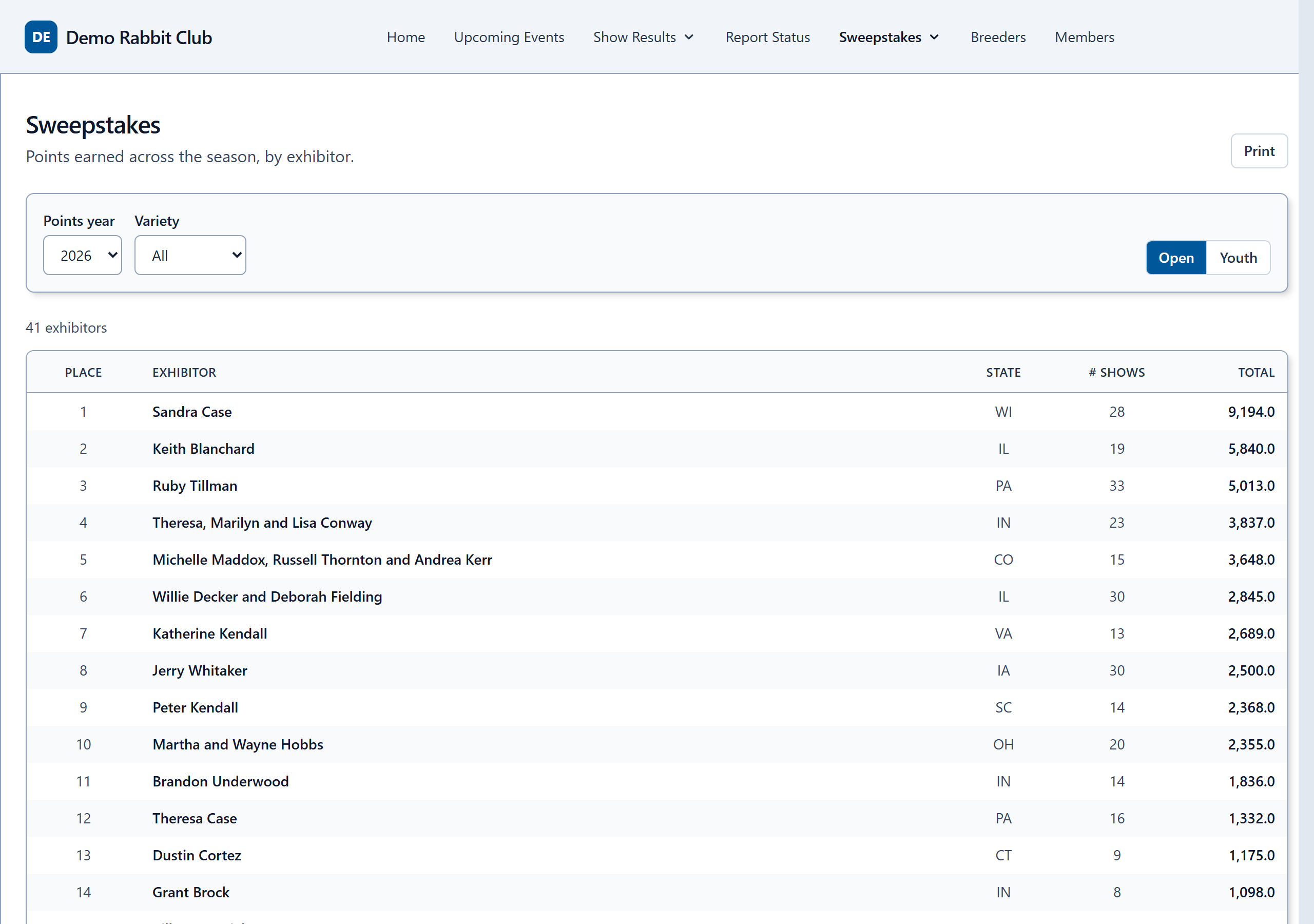
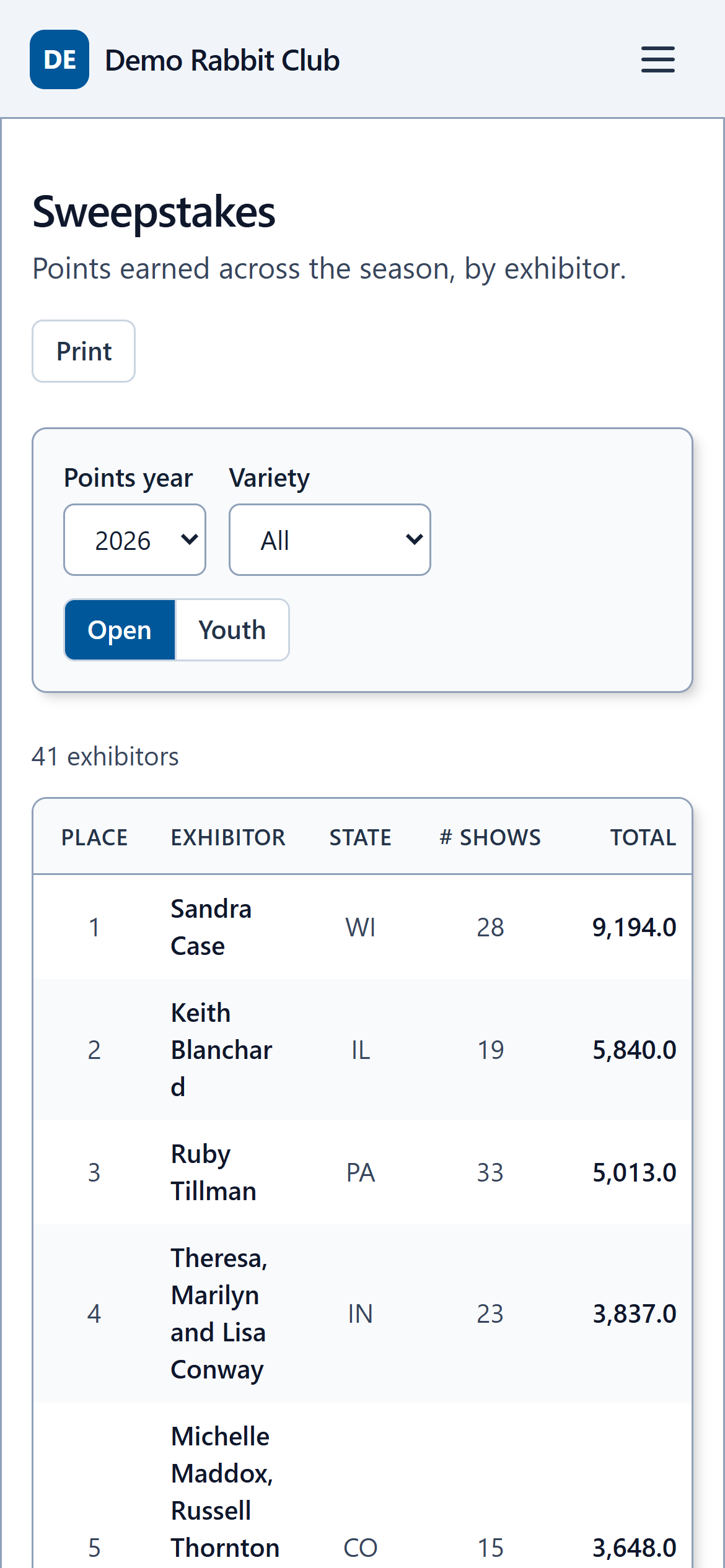
Standings your members can check any time
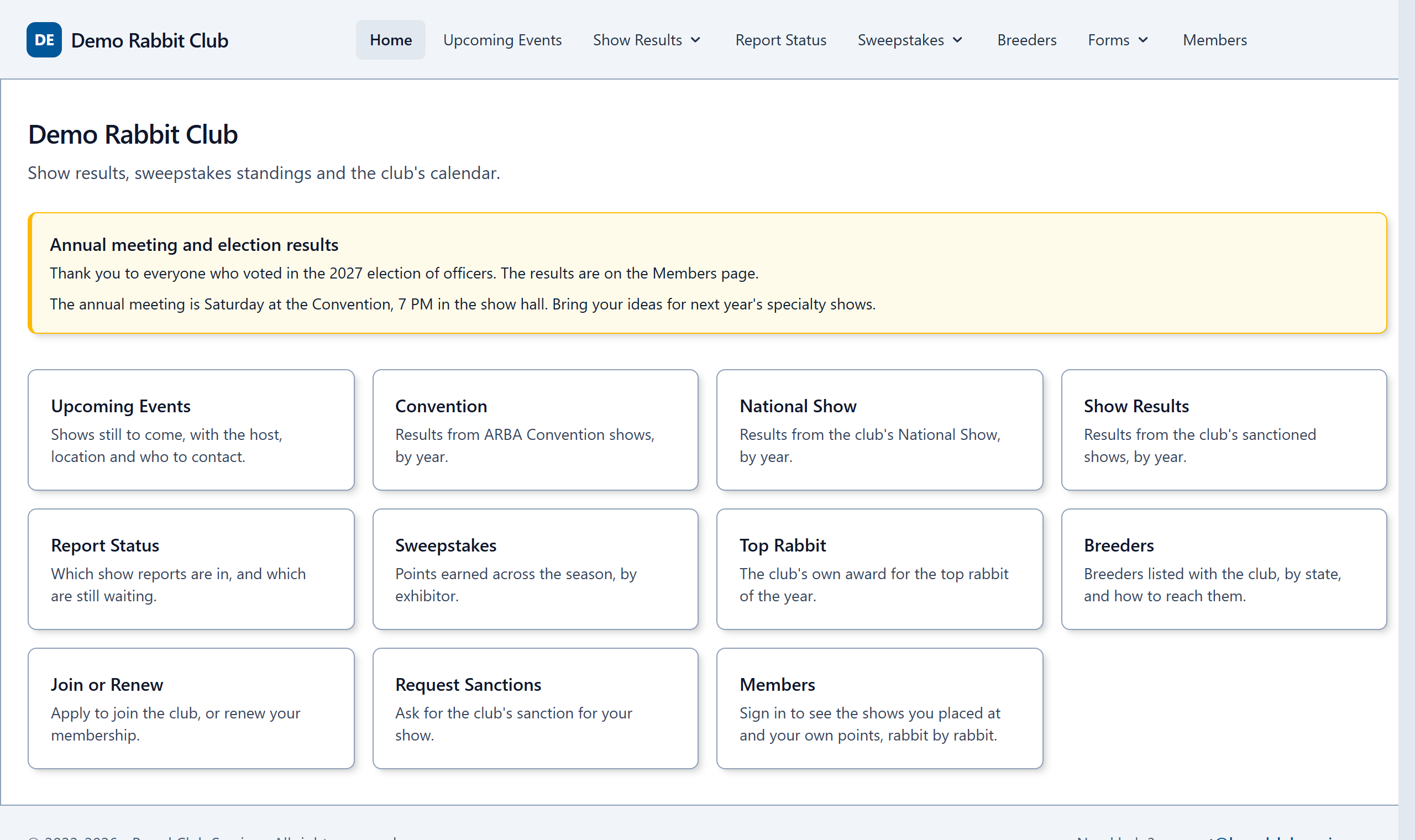
Your club gets its own address, such as yourclub.breedclubservices.com, with sweepstakes standings, show results, upcoming shows and which reports are still to come. Standings follow your club's rules, whatever they are.
- Updated as each show report is processed. No waiting for a quarterly list.
- Open and Youth, by variety, and your club's own awards, under the names your club gives them.
- Works on a phone, and can sit inside your club's existing website.
- Members sign in to see their own rabbits and points, show by show.
Replaces: the standings spreadsheet, and the emails asking "how many points do I have?"
Membership
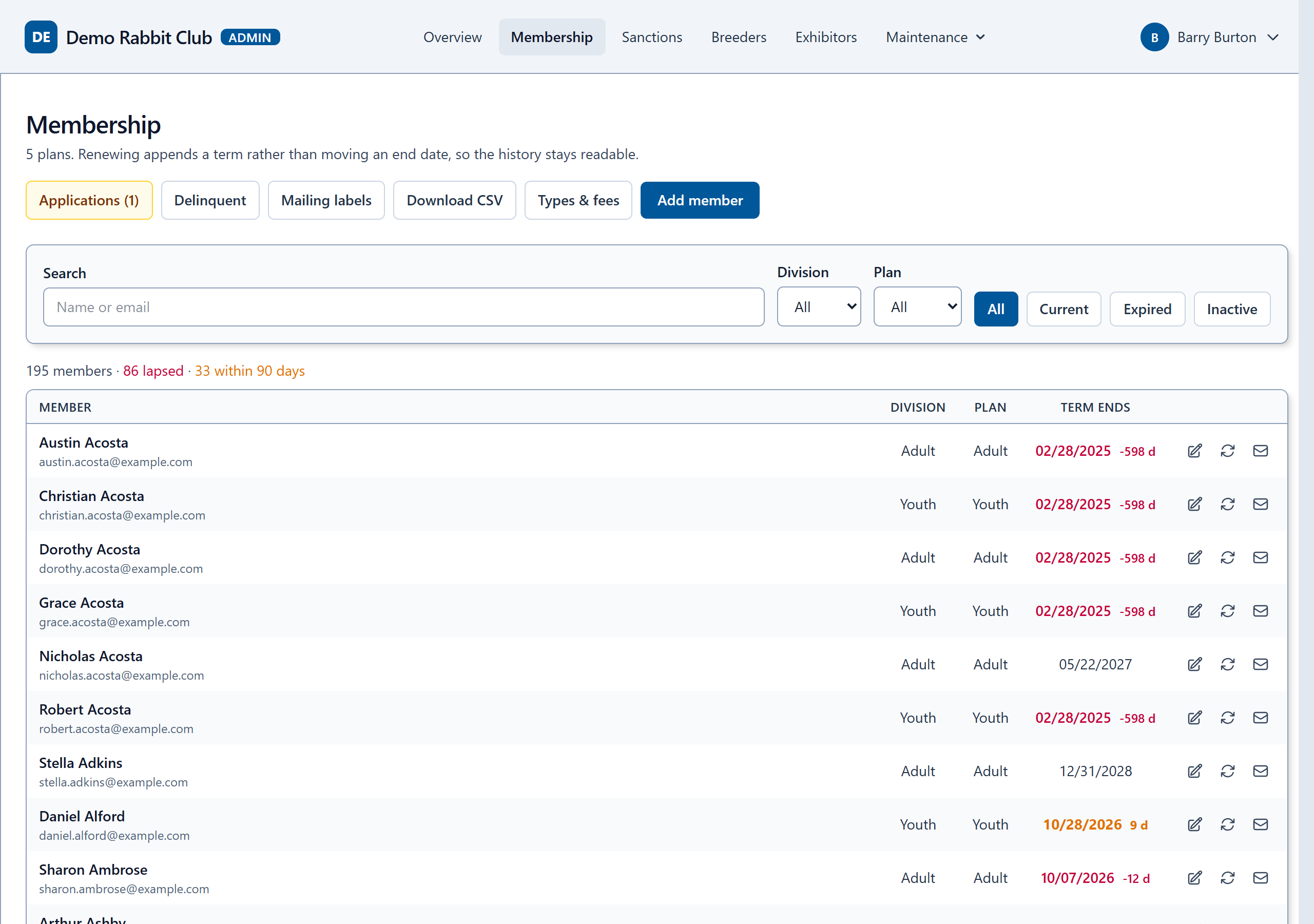
The whole membership list, kept by your admins
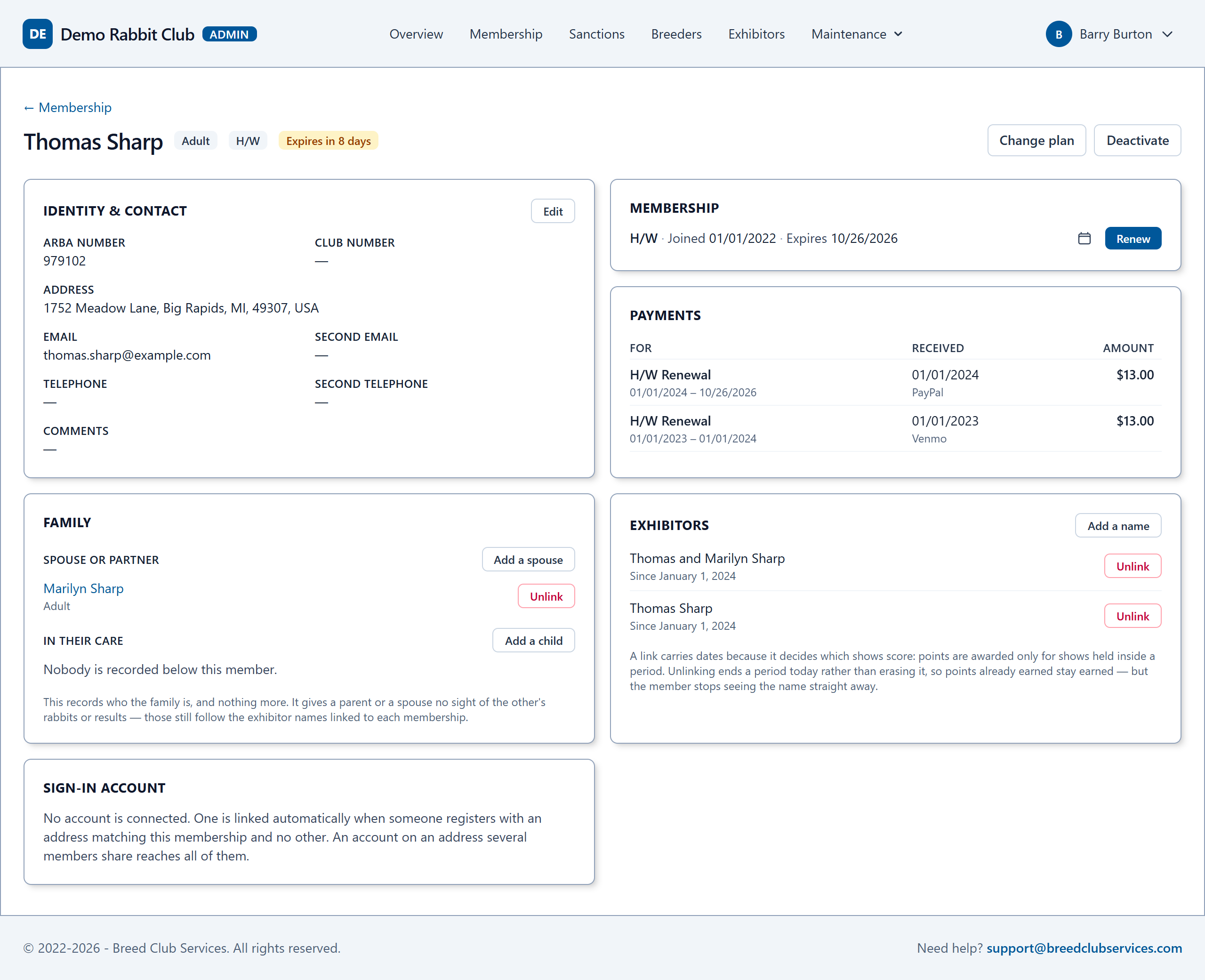
Search the list as you type, see who is current, who is lapsing and who has lapsed, and open any member to see everything about them on one page.
- Contact details, plan, every term and every payment, with check numbers.
- Families: spouses, and parents with the youths in their care. Renew a household together on one payment.
- The exhibitor names each member shows under, which decides whose points count.
- Your club's own plans and prices: Adult, Youth, Family, Life, or whatever membership plans your club offers.
- Life memberships your club gives rather than sells, such as Hall of Fame, and a list of members whose years of continuous membership have earned one.
- New member numbers in your club's own pattern, filled in for you.
- Warns before a duplicate member is added.
- The list, as filtered, downloads as a spreadsheet whenever you need one.
Replaces: the membership spreadsheet, the payments ledger, and hunting for "is this person a member?" when the points are tallied.
Renewals
Renewal reminders, written once and sent in a click
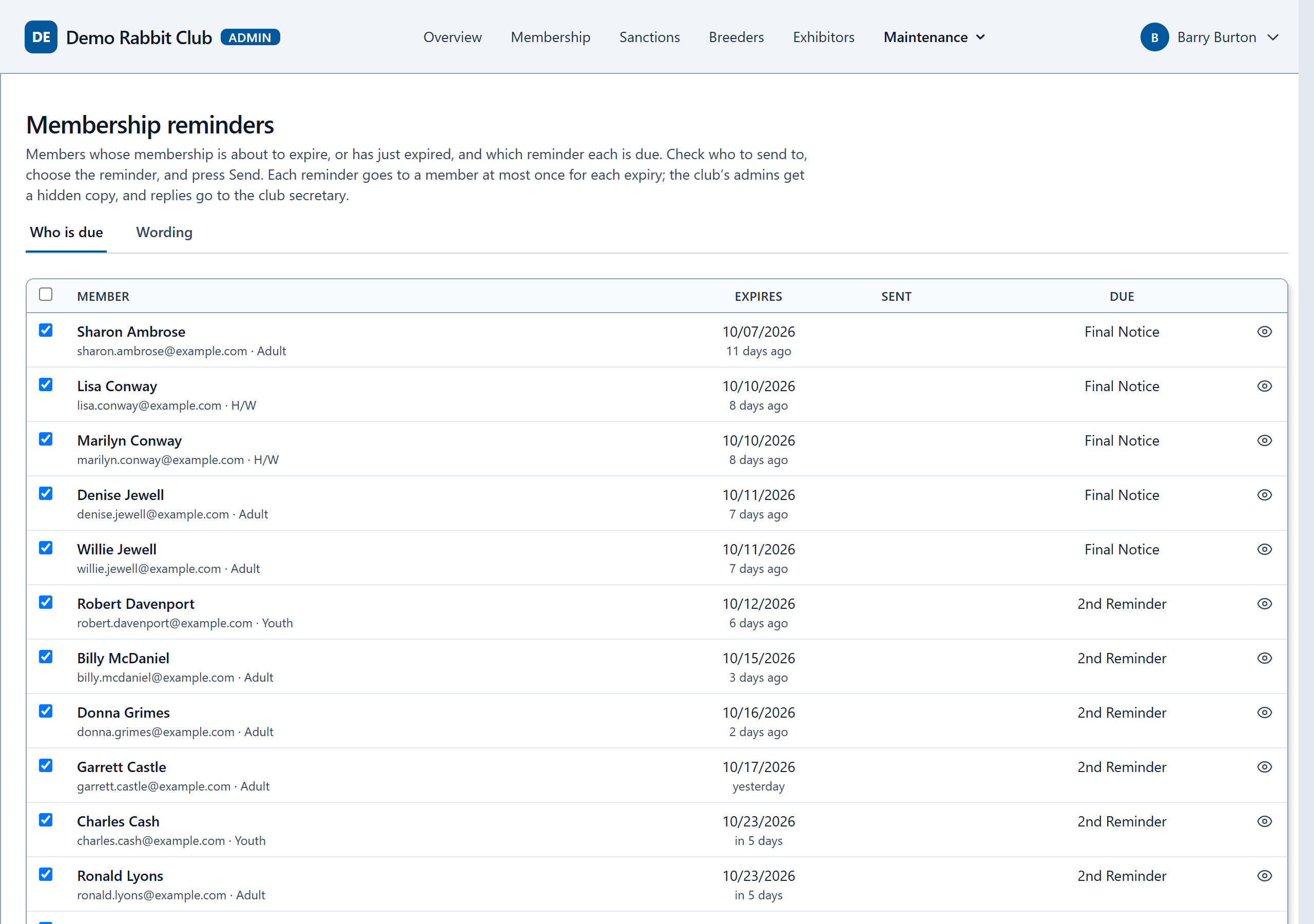
The site lists every member whose membership is about to run out, or just has, and which reminder each is due: a first reminder, a second, and a final notice. Check who to send to and press Send.
- Your club's own wording, with the member's name, expiry date and your club's details filled in.
- Sent from your club's name. Replies go straight to your secretary.
- A copy of each one to your secretary or your other admins, if you want one.
- No member gets the same reminder twice.
- A list of members long past due, to mark inactive together.
Replaces: a reminder calendar, a mail merge, and remembering who was already reminded.
Sanctions
Issue a sanction in a minute, and confirm it by email
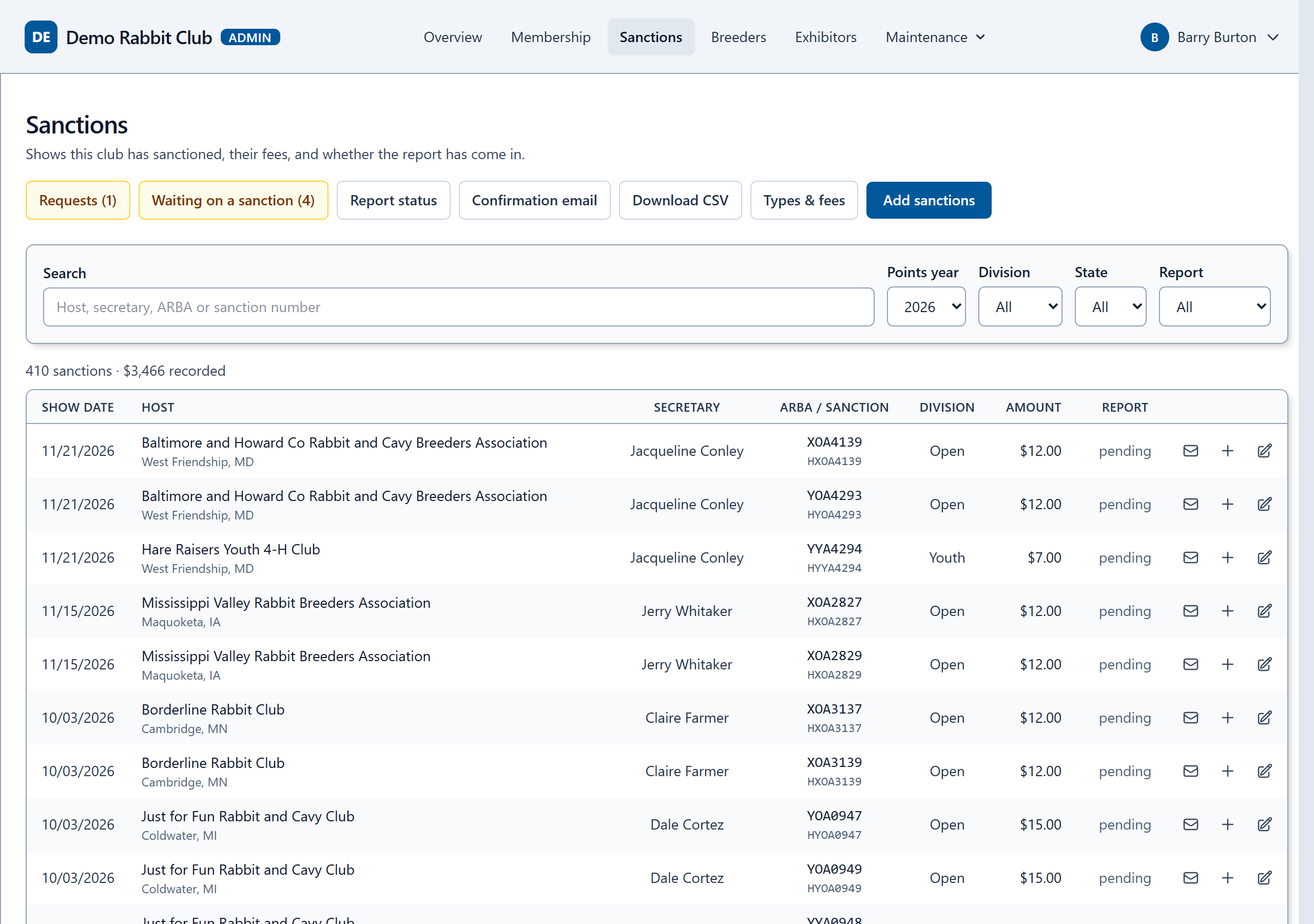
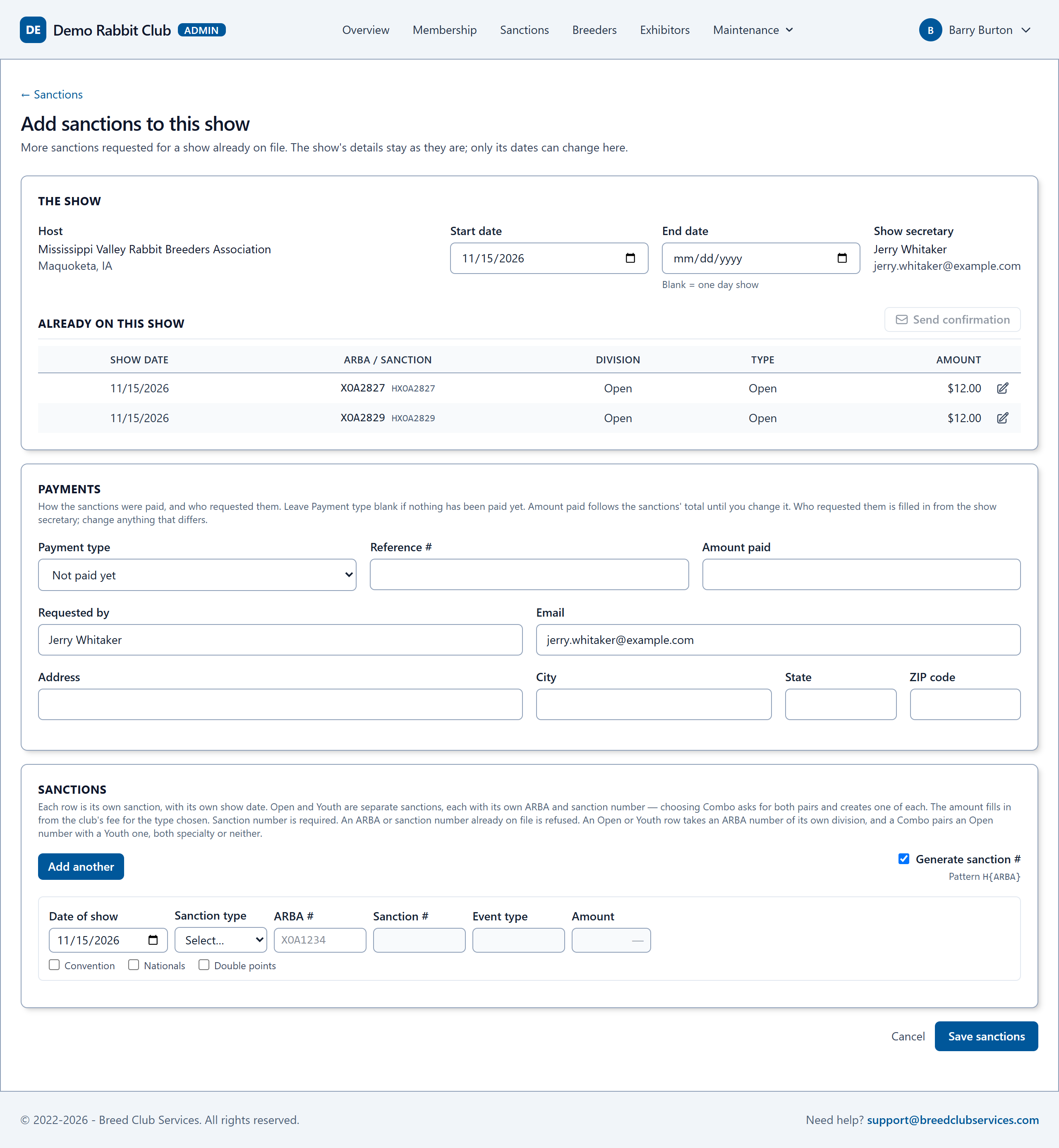
Enter a show's sanctions once: host, dates, secretary, and each Open, Youth or Combo sanction. Your club's sanction fees fill in, sanction numbers can be generated in your club's own pattern, and the payment is recorded with the request.
- A confirmation email to the person who requested them when you save, in your club's own wording, and a record of every one sent. Send it again from the show's page at any time.
- Add sanctions to a show already on file, or move its dates.
- Every sanction feeds the upcoming shows list and the report status page, and the list downloads as a spreadsheet.
Replaces: the sanction spreadsheet, typed-up confirmation emails, and checking which payments came in.
Show reports
Reports processed for you, and tracked until they arrive
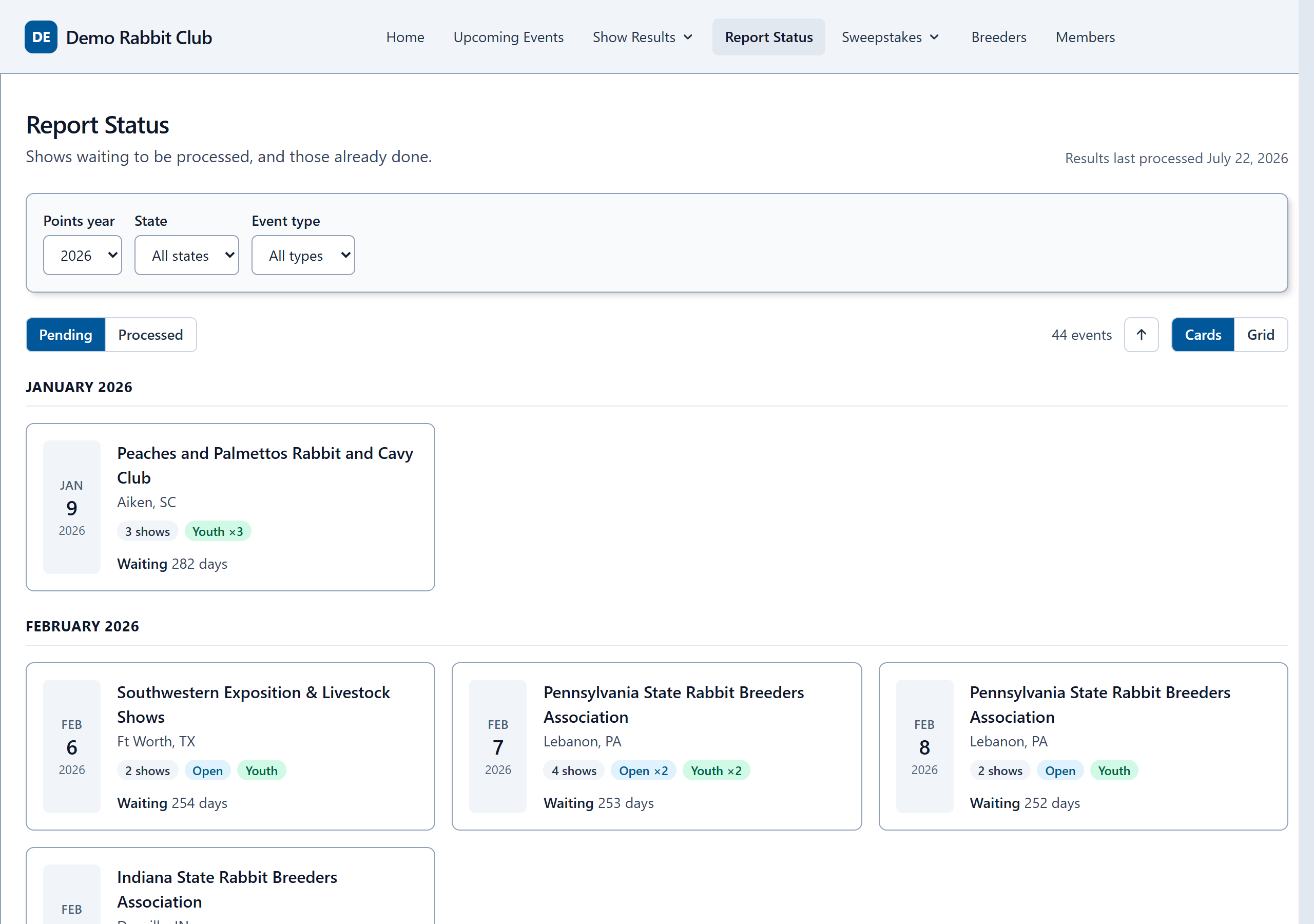
Show secretaries send their reports as they do now. We process them into your standings, so your admins do not have to. Your members can see which shows are in and which are still to come.
- A report that arrives before its sanction is held back, earning no points, until the sanction is on file. The site tells your admins which ones.
- Show secretaries who are late with a report are reminded.
- A show's results are on the site as soon as it is processed.
Replaces: chasing reports, and keying in results by hand.
Announcements, surveys and elections
Tell your members, ask them, and let them vote
Put a notice on your club's home page, ask the members what they think, and hold the club's elections, all on your members' own page of the site.
- Announcements with a first and last day, so a notice never stays up after it matters.
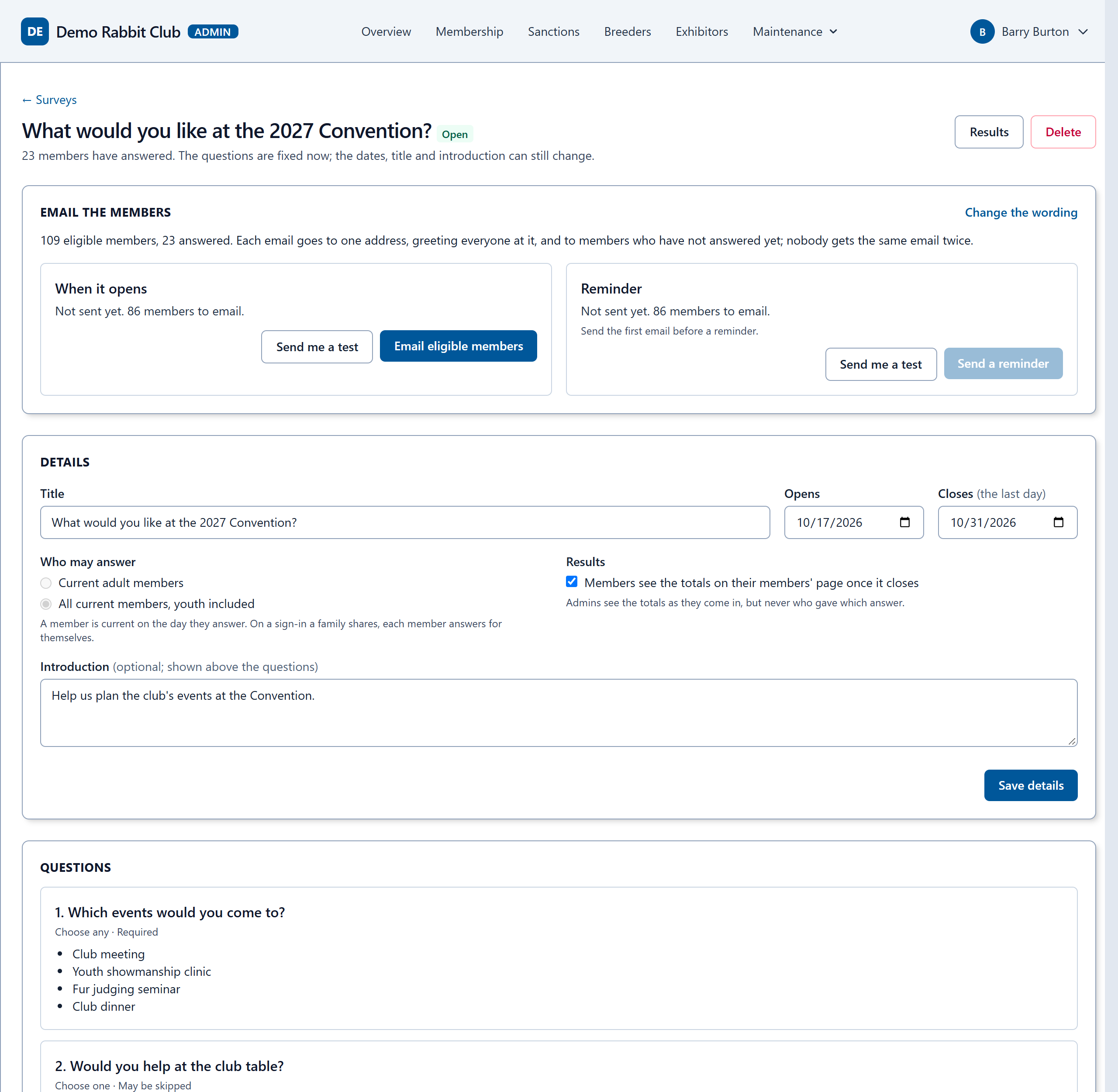
- Surveys with choose-one, choose-several and written answers. Every survey is anonymous: your admins see the totals, never who said what.
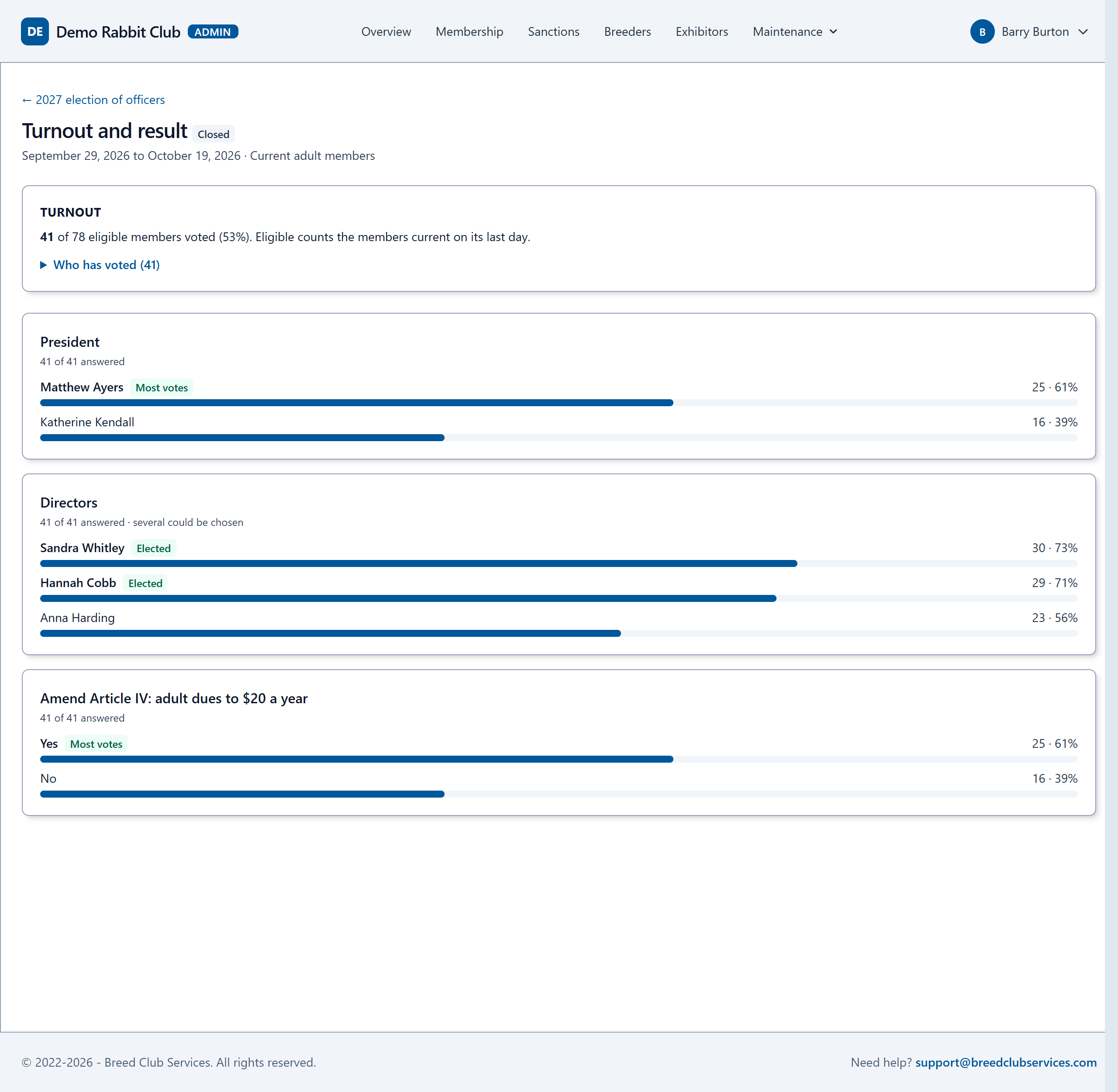
- Elections for office and votes on changes to the constitution, with a secret ballot. The club sees who has voted, never how, and nobody sees the count until it closes.
- Only current members can answer, one each, and youth only if you say so. A family sharing one sign-in votes member by member.
- One click emails every eligible member, and a reminder goes to those who have not answered yet.
Replaces: paper ballots by mail, counting them by hand, and survey forms that anyone can fill in twice.
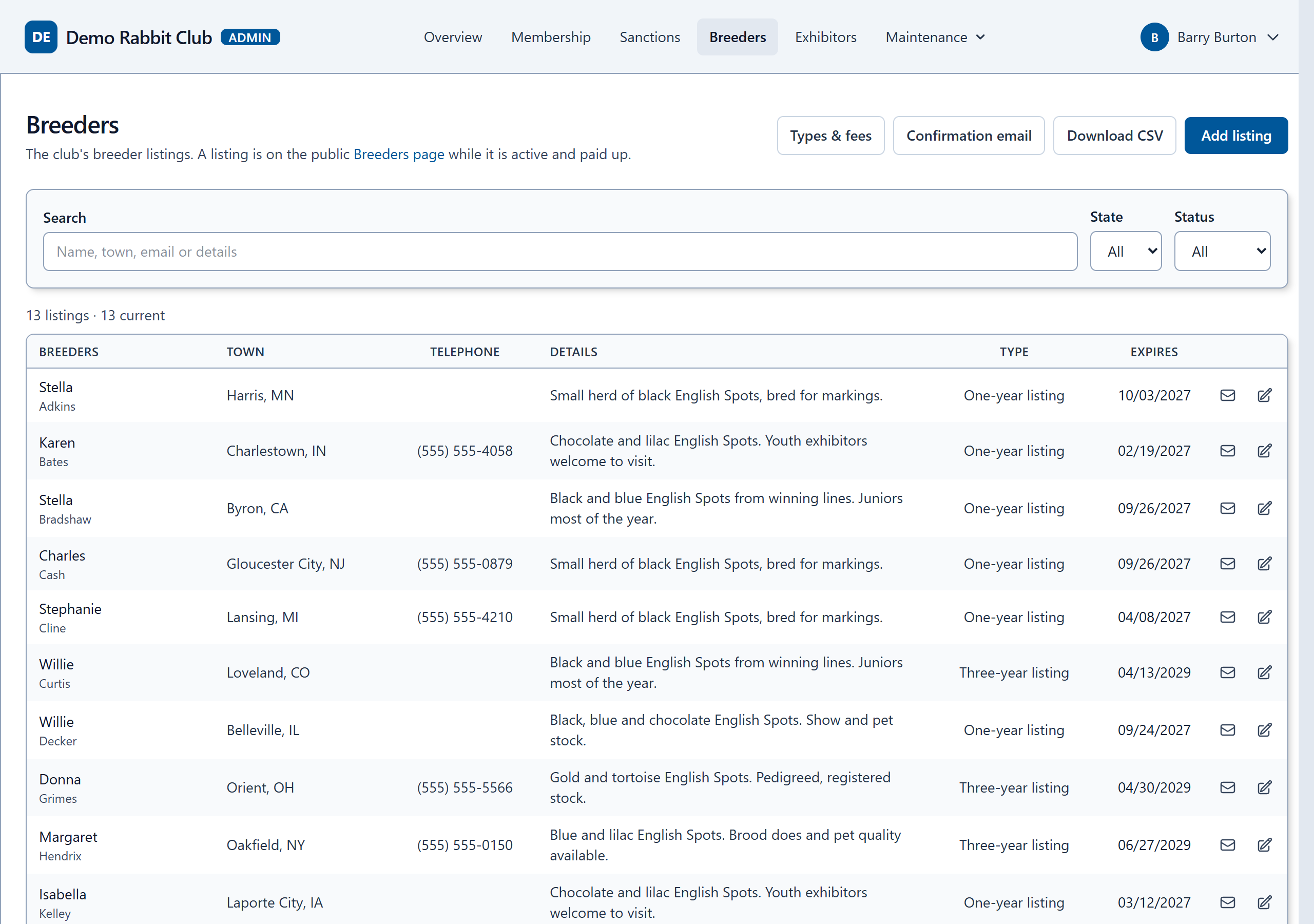
Breeder directory
A breeder directory that keeps itself current
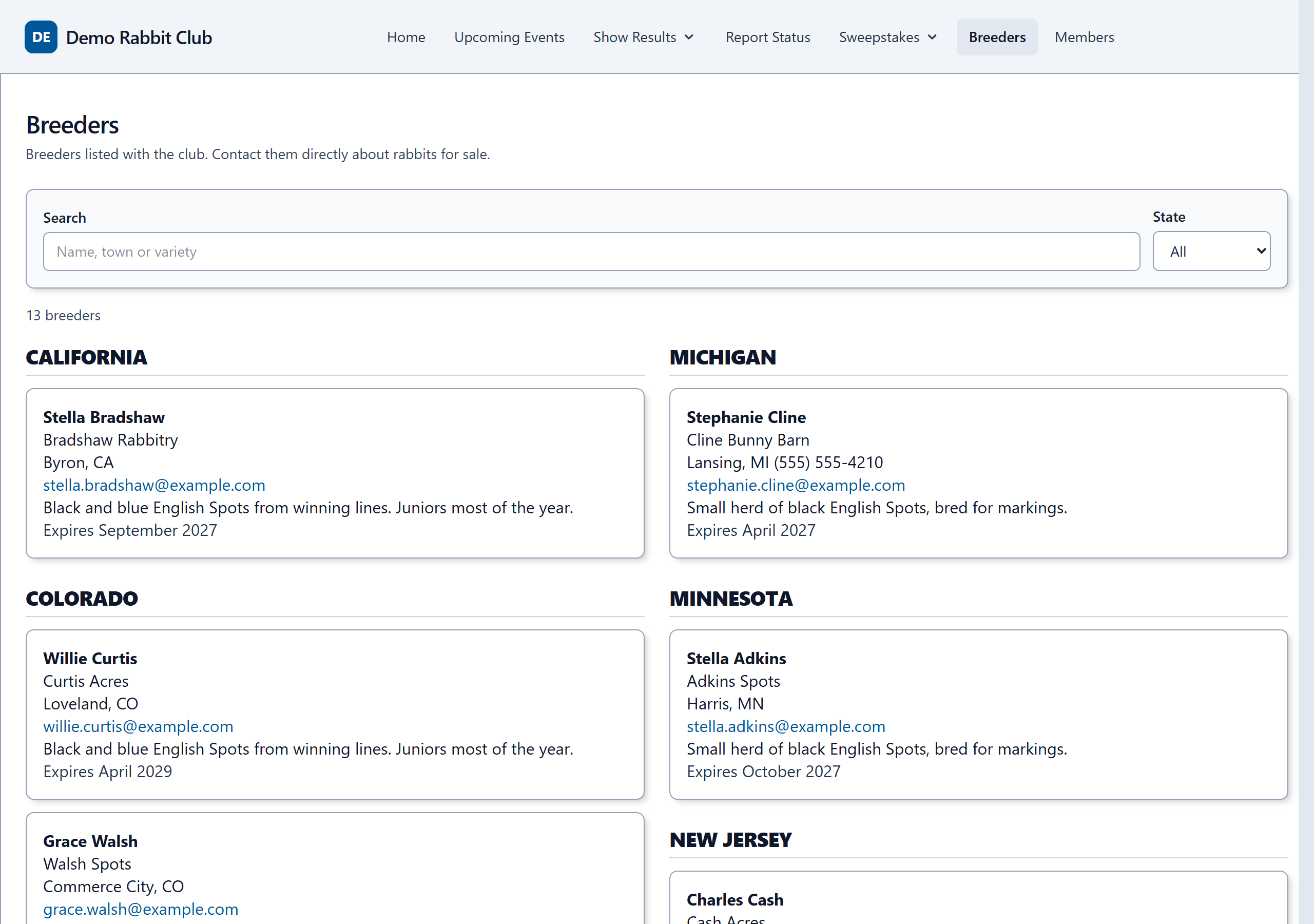
If your club lists its breeders, keep the listings here: who they are, their rabbitry, what they raise and how to reach them. The public page shows only the listings that are paid up, and updates itself as listings run out.
- Your club's own listing types and prices, such as one year or three, for members and non-members.
- Renewals and payments recorded on each listing, and a confirmation email to the breeder.
- One to five people on a listing, linked to their membership when they are a member.
- Shown as cards, or under each state, whichever suits your club. Street addresses are never shown.
Replaces: the breeder list on the website that someone has to remember to update, and the expired listings nobody took down.
Exhibitors
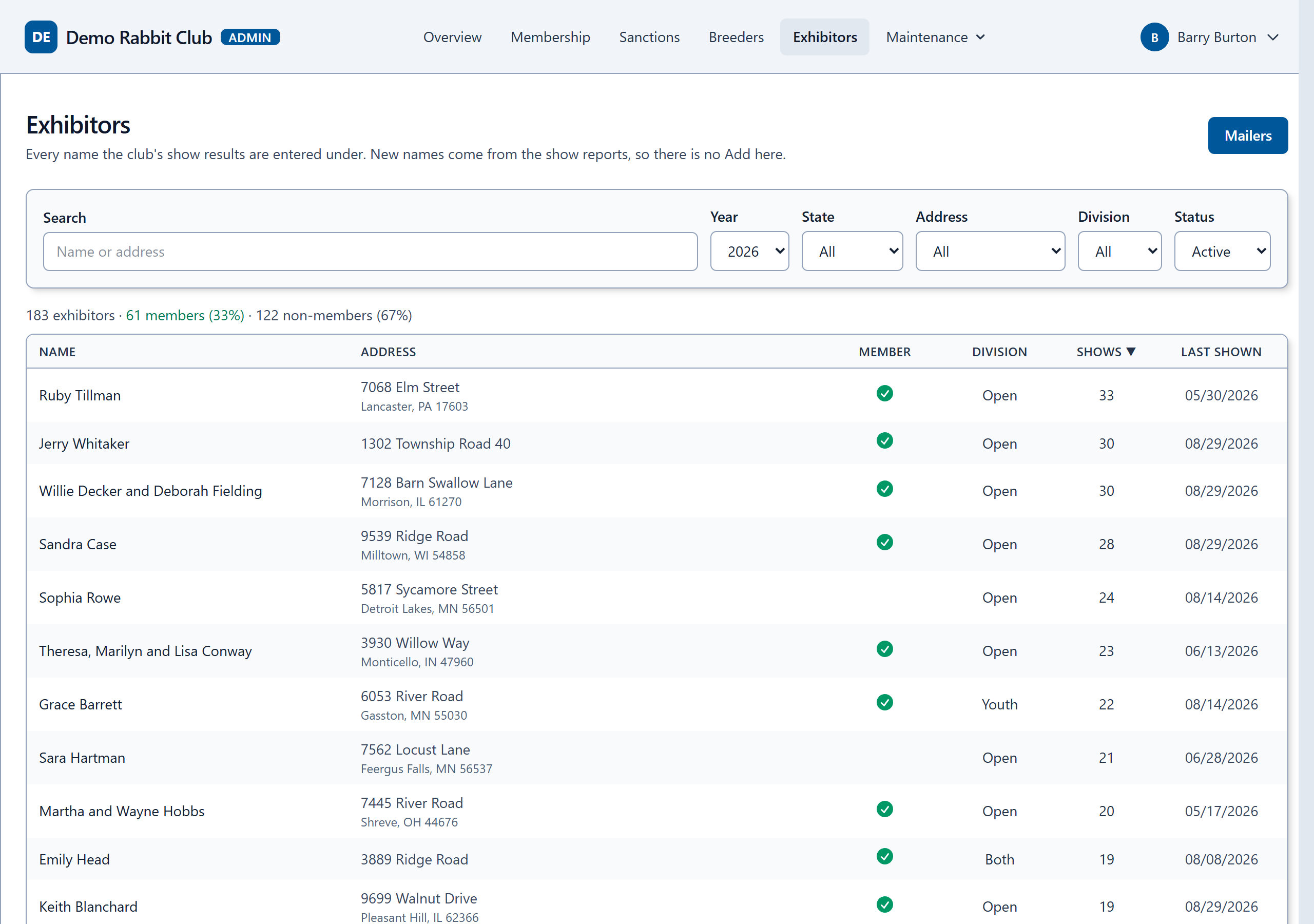
Everyone who shows, and who isn't a member yet
Every name your club's show results are entered under, with the address from the show report, how many shows they placed at and when they last showed. A check marks the ones linked to a member.
- Search by name or address, filter by state, and sort by shows or by when they last showed.
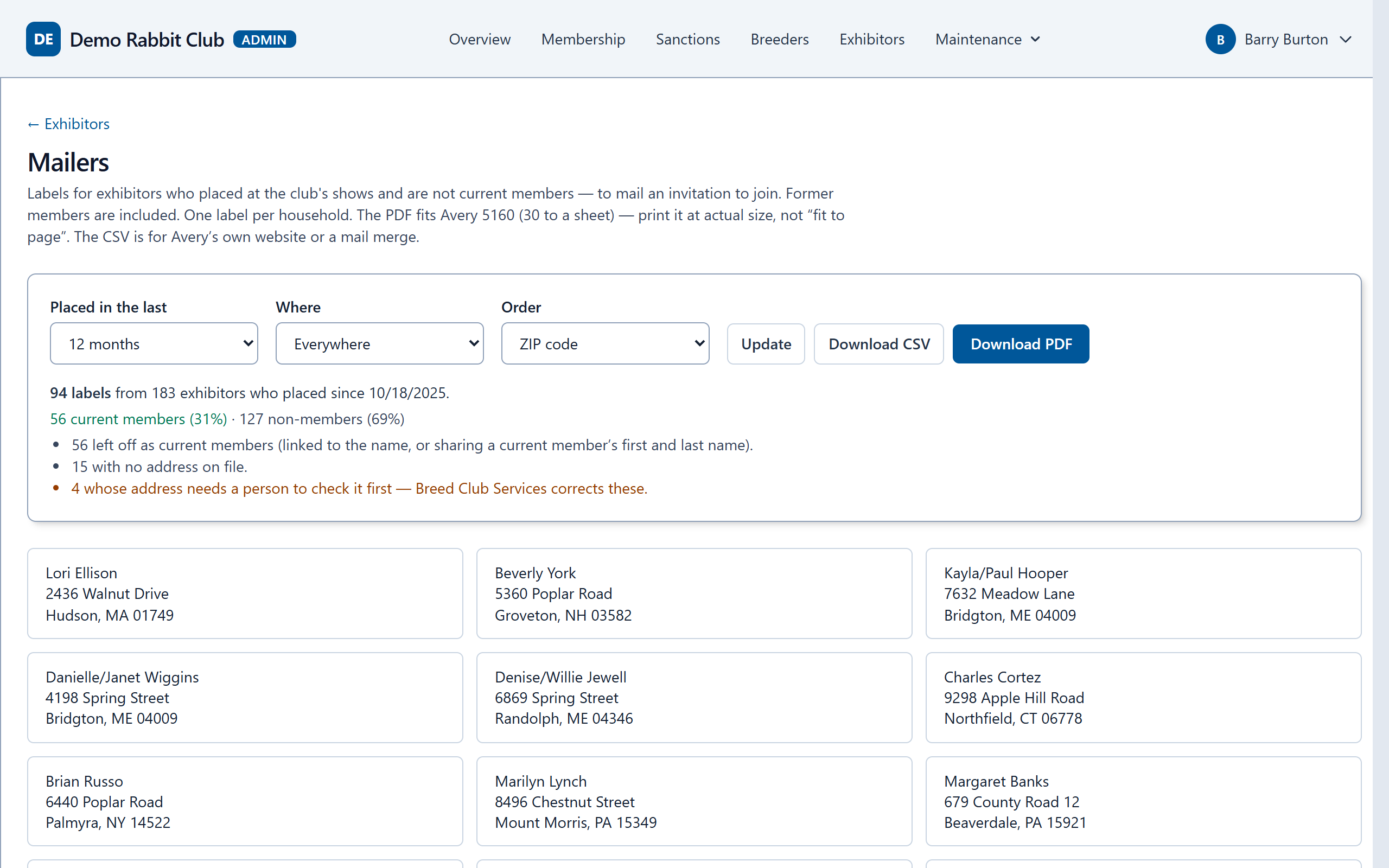
- Mailers: labels for exhibitors who placed at your shows but are not current members, to invite them to join. Former members are included.
- One label per household, as Avery 5160 labels or a spreadsheet.
Replaces: copying names and addresses out of show reports to find people to invite.
Mailings and the newsletter
Labels and standings, ready to print
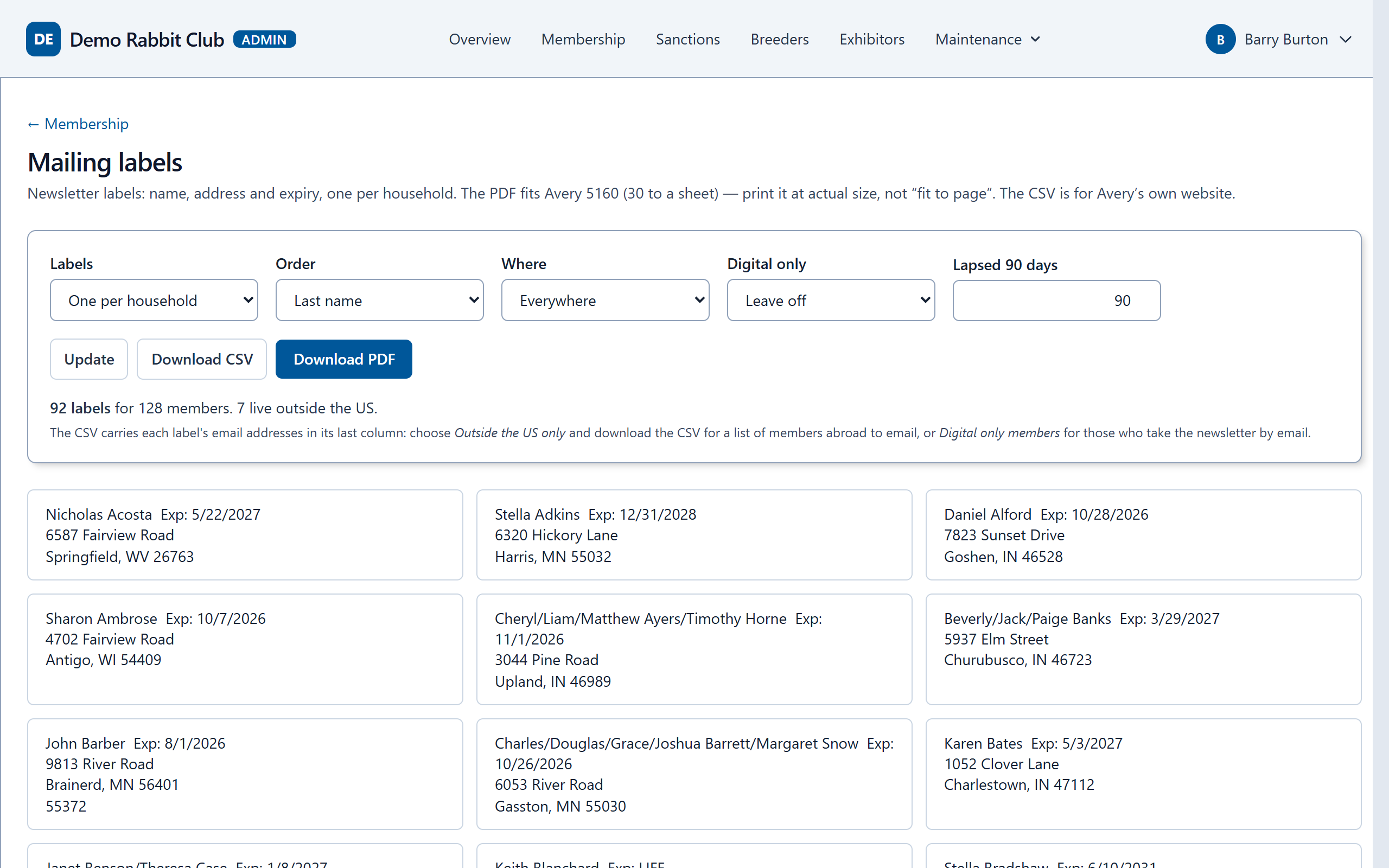
Mailing labels for the newsletter come straight from the membership list, and the standings come out as a spreadsheet laid out for the newsletter.
- Avery 5160 labels as a PDF, one per household, or a spreadsheet for Avery's own site.
- Members in the US, members abroad, or everyone; lapsed members included for as long as you choose.
- The standings as an Excel workbook, one sheet per division and variety.
Replaces: a mail merge for labels, and copying standings into a spreadsheet each quarter.
Your records, kept safe
Your club's admins in charge, and nobody else
- Your admins sign in to their own club's admin pages, with a code from their phone as well as a password.
- Each admin gets only what they need: everything, membership only, sanctions only, or look but not change.
- Every change an admin makes is recorded: who, what and when.
- Members see only their own records. Members who ask not to be listed are not.
- Your club's data is yours. It is never shared with another club or sold.
Talk to us
Tell us how your club keeps its sweepstakes, members and sanctions today, and we will show you how it would look here, using your club's own rules.